Step 1: Add Your First Competitor
Add competitors to start tracking their activity and gathering intelligence
Steve Documentation Team
onboardingcompetitors
Start building competitive intelligence by adding companies you compete against. Steve will automatically research each competitor to gather pricing, features, and market positioning data.
How to Add a Competitor
- Navigate to Competitors in the sidebar
- Click the + Add Competitor button in the top-right
- Enter the competitor's website URL (e.g.,
competitor.com) - Click Submit to add
Steve extracts company details automatically from the website. You can add up to 5 competitors at once by clicking Add another URL.
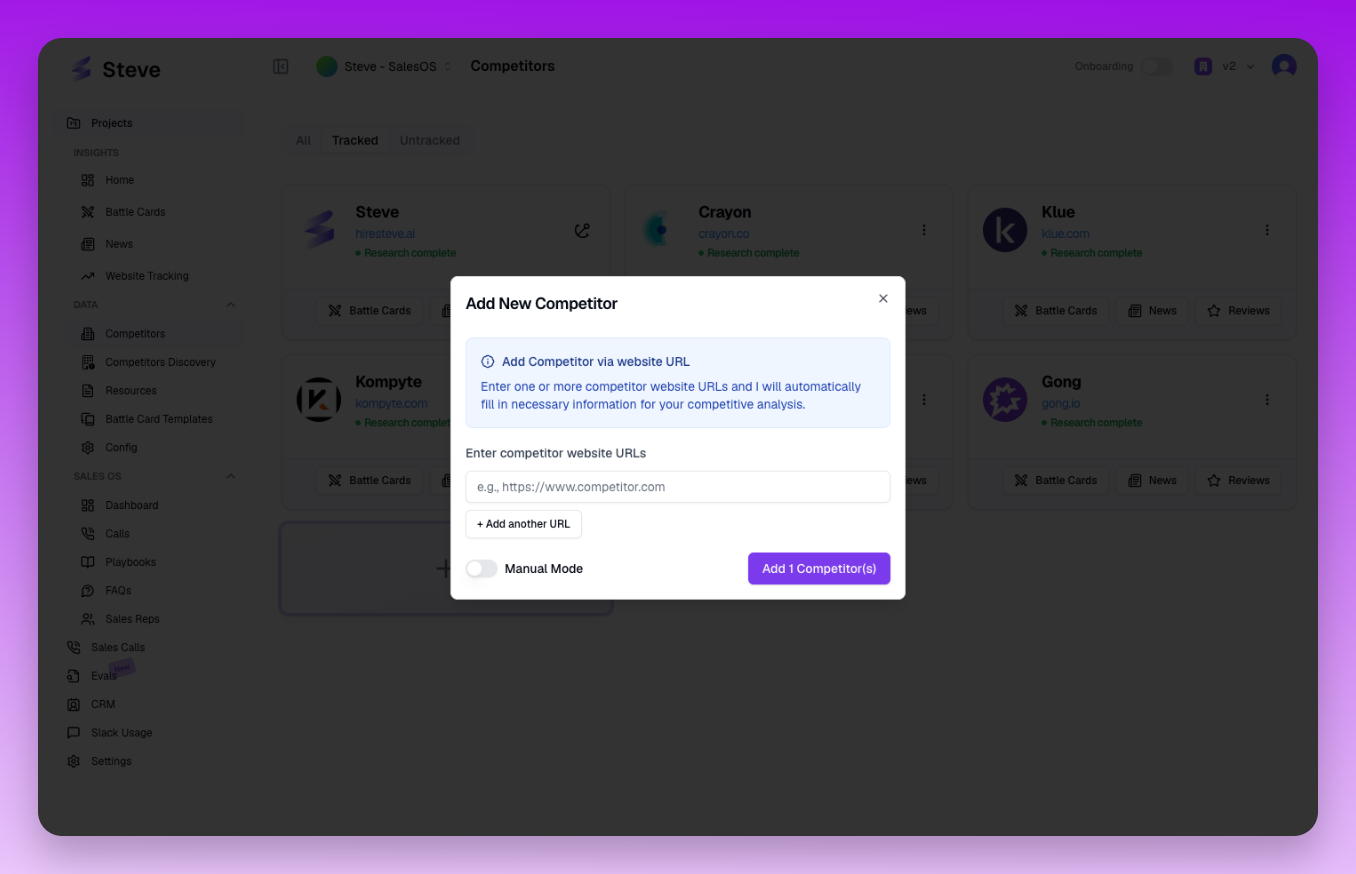 The Add Competitor dialog where you enter competitor websites
What Happens Next
After adding a competitor, Steve triggers automatic research to gather intelligence. The competitor appears in your list with a "pending" research status that updates to "complete" within a few minutes.