Step 2: Complete Competitor Research
Monitor automatic research progress as Steve gathers competitive intelligence
Steve Documentation Team
onboardingcompetitorsresearch
After adding competitors, Steve automatically researches each one to gather pricing, features, positioning, and market data. Research happens in the background and typically completes within a few minutes.
Understanding Research Status
Each competitor tile shows a research status indicator with three possible states:
- Pending (orange dot) - Research is actively running in the background
- Partial (blue dot) - Some data collected, shows "X/Y fields" progress
- Complete (green dot) - All available intelligence gathered
The status updates automatically as research progresses. No action is required from you.
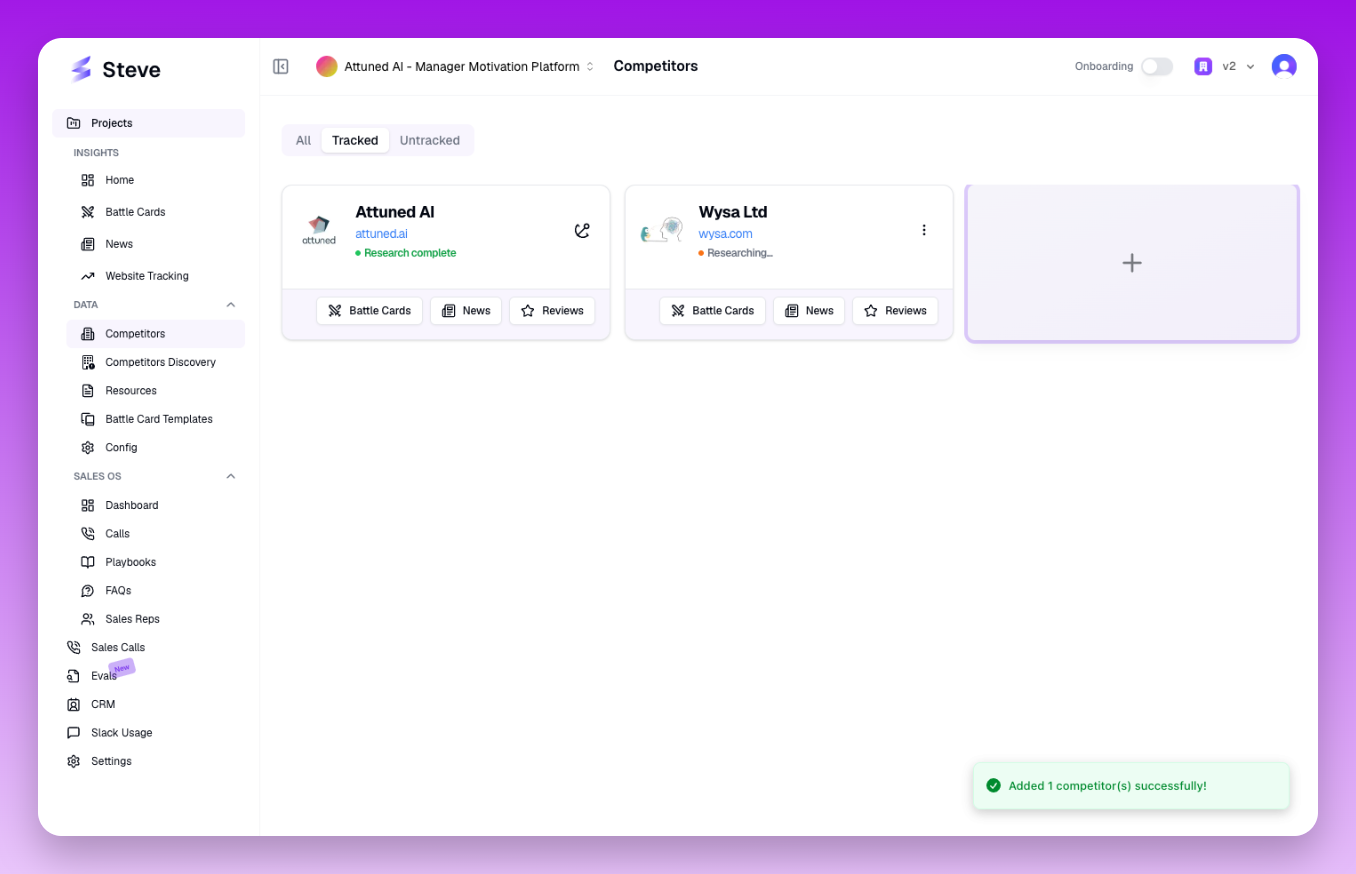 Research status appears below the competitor's website URL
What Happens Next
Once research completes, you can view the gathered intelligence by clicking on the competitor tile. Steve collects pricing information, feature comparisons, G2 reviews, and market positioning data.