Step 3: Generate Battle Card
Create AI-powered competitive battle cards using researched competitor data
Steve Documentation Team
onboardingbattle-cardsgeneration
Battle cards are competitive intelligence documents that help sales teams win deals against specific competitors. Steve uses AI to generate battle cards automatically using the research data collected in previous steps.
How to Generate a Battle Card
- Navigate to Battle Cards in the sidebar
- Click the Generate Battle Card button
- Type your request in the chat (e.g., "Create a battle card for Acme Corp focusing on pricing")
- Review the AI-generated content as it appears
- Accept or edit sections as needed
Steve uses your competitor research, uploaded resources, and project context to create accurate, relevant battle card content. Generation typically takes 30-60 seconds.
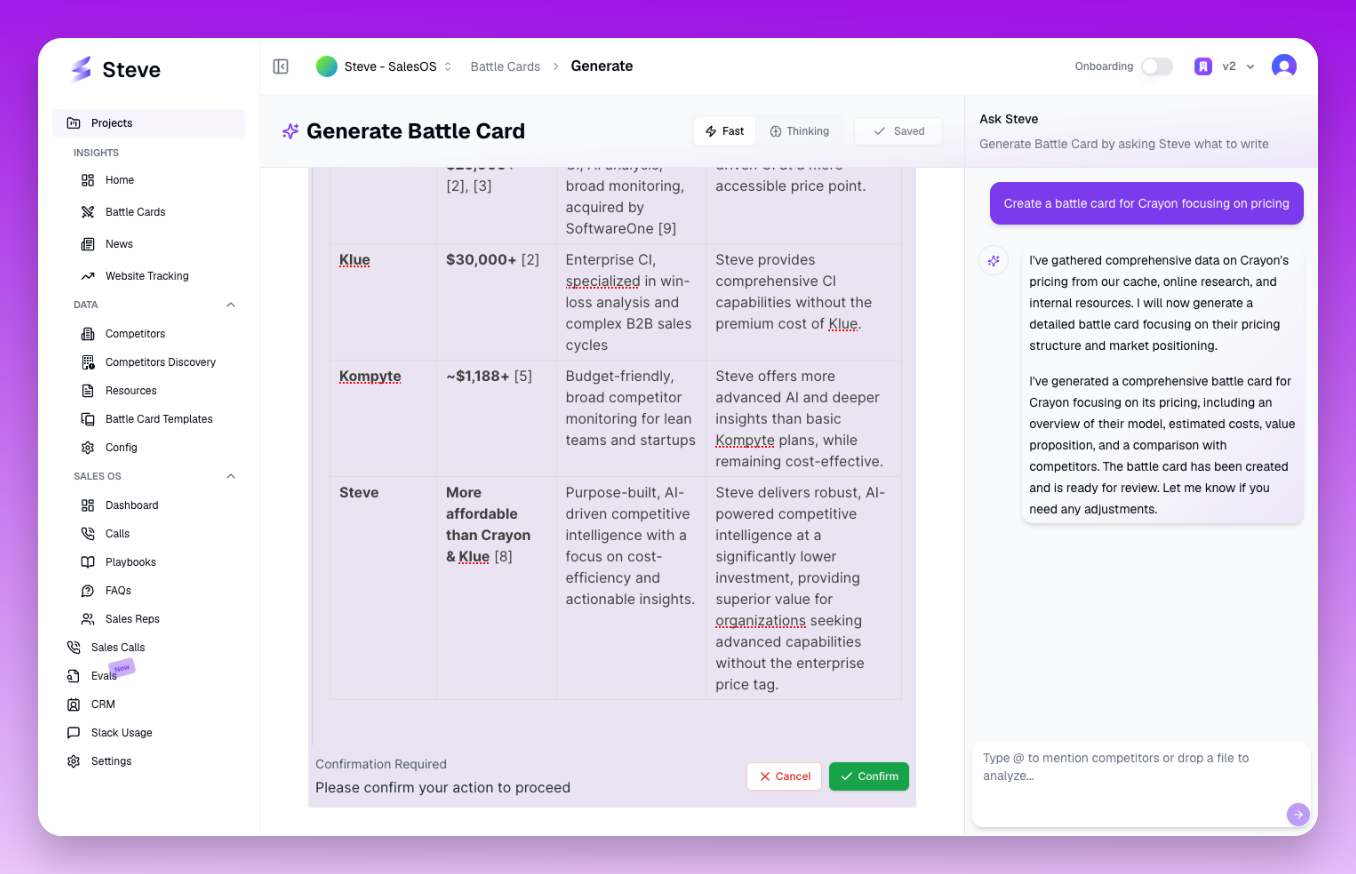 The battle card generation interface with AI chat and live content preview
What Happens Next
Generated battle cards are automatically saved and appear in your Battle Cards list. You can edit, share, or regenerate sections at any time.