Step 7: Generate from Template
Use saved presets to quickly generate battle cards with consistent structure
Steve Documentation Team
onboardingbattle-cardstemplatesgeneration
Use saved presets to generate battle cards faster. Presets apply predefined sections and formatting automatically, ensuring consistency across all your competitive content.
How to Generate from a Preset
- Navigate to Battle Cards > Presets
- Find your saved preset and click on it
- Review the preset details (competitors, sections, type)
- Click Generate Battle Card
- Wait for generation to complete (30-60 seconds)
The generated battle card appears in your Battle Cards list with all sections from the preset template automatically populated using your competitor research data.
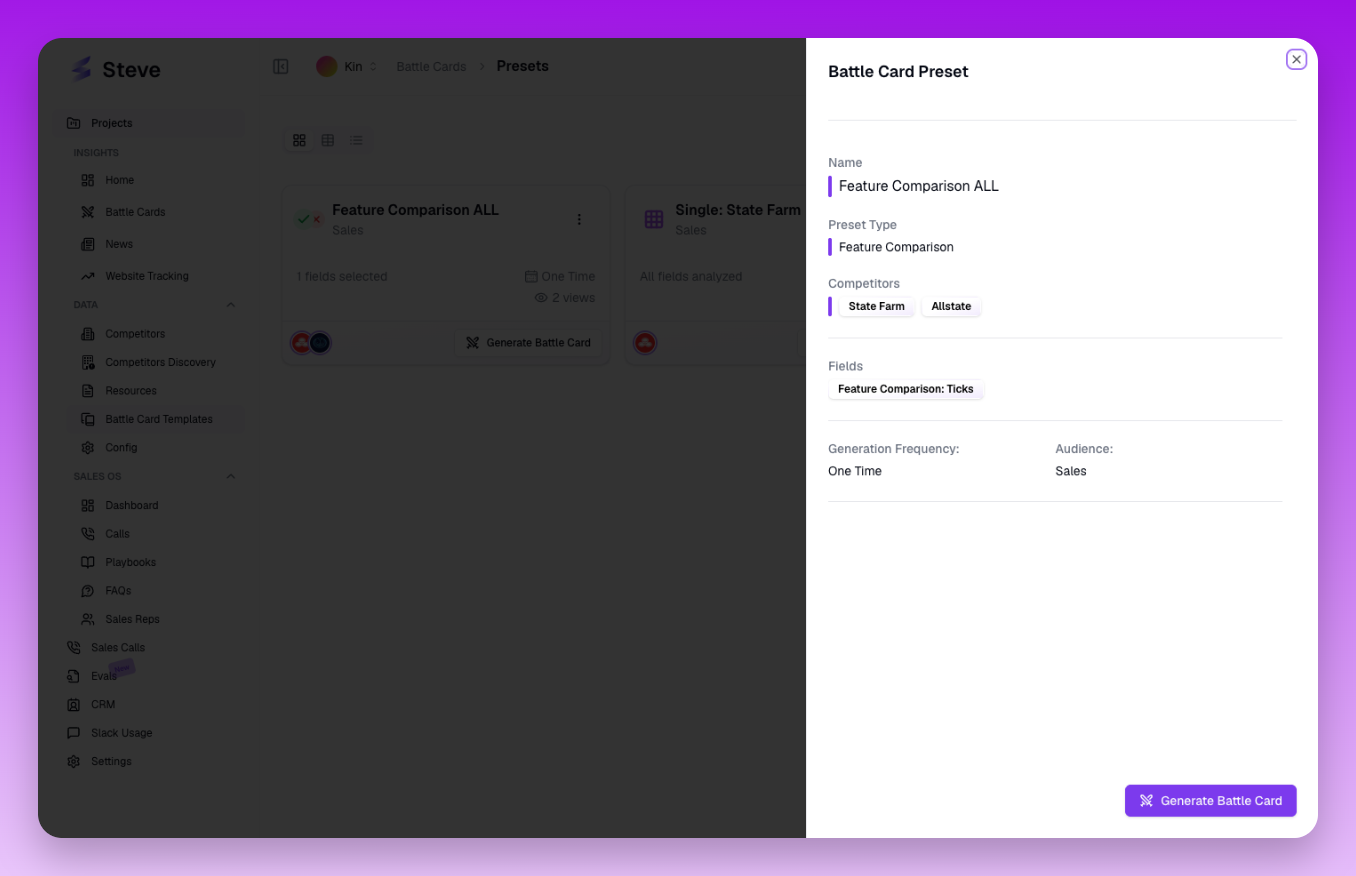 Click Generate Battle Card to create content using the preset template
What Happens Next
Generated battle cards can be edited, shared, or regenerated. Using presets saves time by eliminating repetitive configuration when creating multiple battle cards.