Step 8: View News
Monitor competitor announcements, product updates, and market movements
Steve Documentation Team
onboardingnewsmonitoring
Steve automatically monitors news sources for competitor updates including product launches, funding announcements, leadership changes, and market moves. Stay informed about competitive landscape changes.
How to View News
- Navigate to News in the sidebar
- Browse recent competitor updates
- Filter by competitor, category, or date range
- Click any news item to read the full article
News is refreshed automatically daily. You can also click the refresh button to manually check for new updates. Steve summarizes key points from each article to save you reading time.
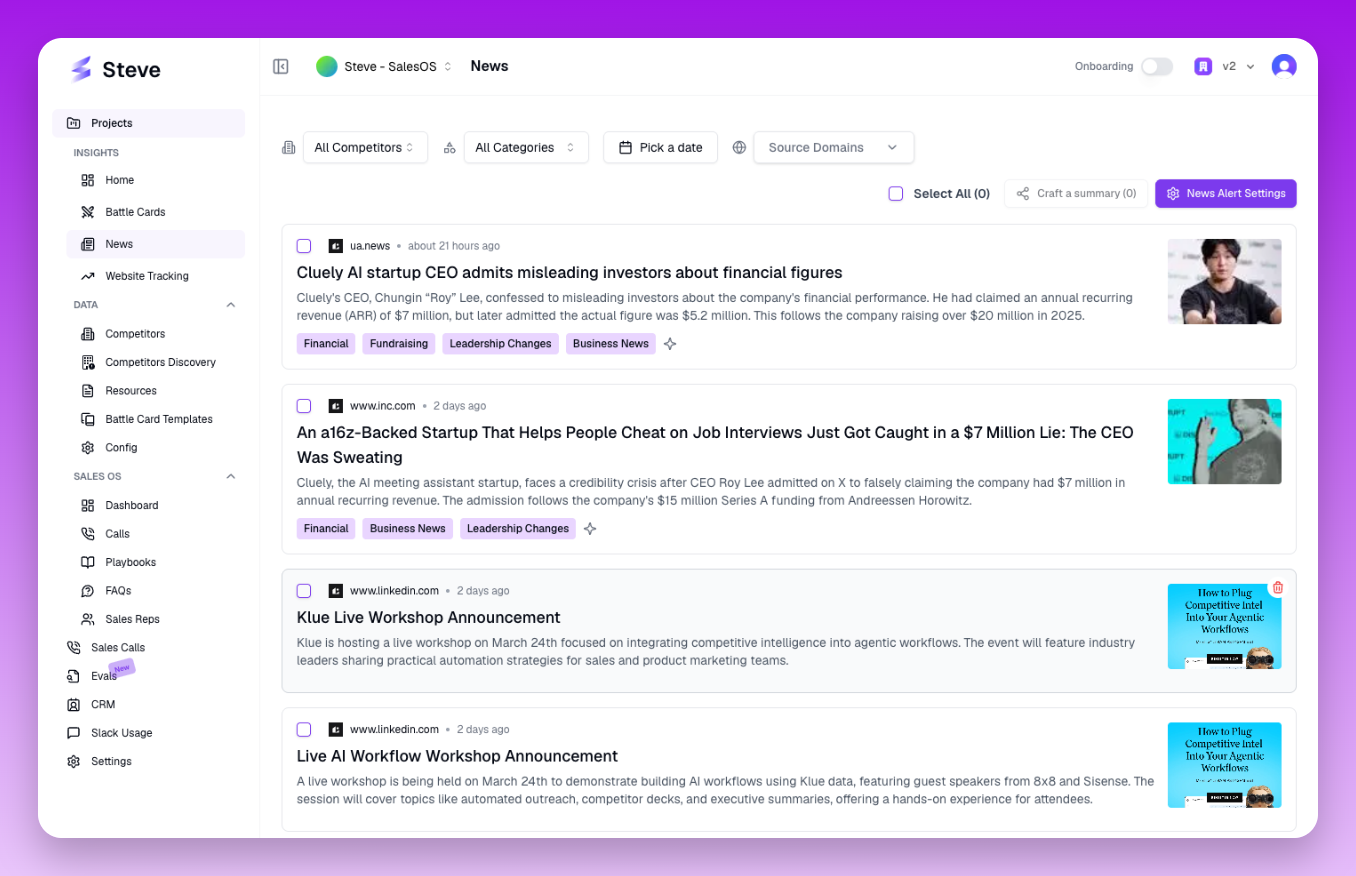 The News page displays recent competitor updates with AI-generated summaries
What Happens Next
Use news insights to update battle cards, inform sales conversations, and identify competitive threats early. Set up news alerts to get notified about specific competitor activities.