Step 9: Upload Project Resources
Add internal documents and materials to enhance AI-generated battle cards
Steve Documentation Team
onboardingresourcesknowledge-base
Upload internal materials like sales decks, product documentation, case studies, and call transcripts. Steve uses these resources to generate more accurate and personalized battle cards.
How to Upload Resources
- Navigate to Resources in the sidebar
- Click the Add Resource button
- Choose resource type: URL, Meeting Log, File, or Text
- Upload files or enter URLs
- Click Save to add resources
Supported file types include PDF, Word documents, PowerPoint, text files, and transcripts. Resources are processed and indexed for use in battle card generation.
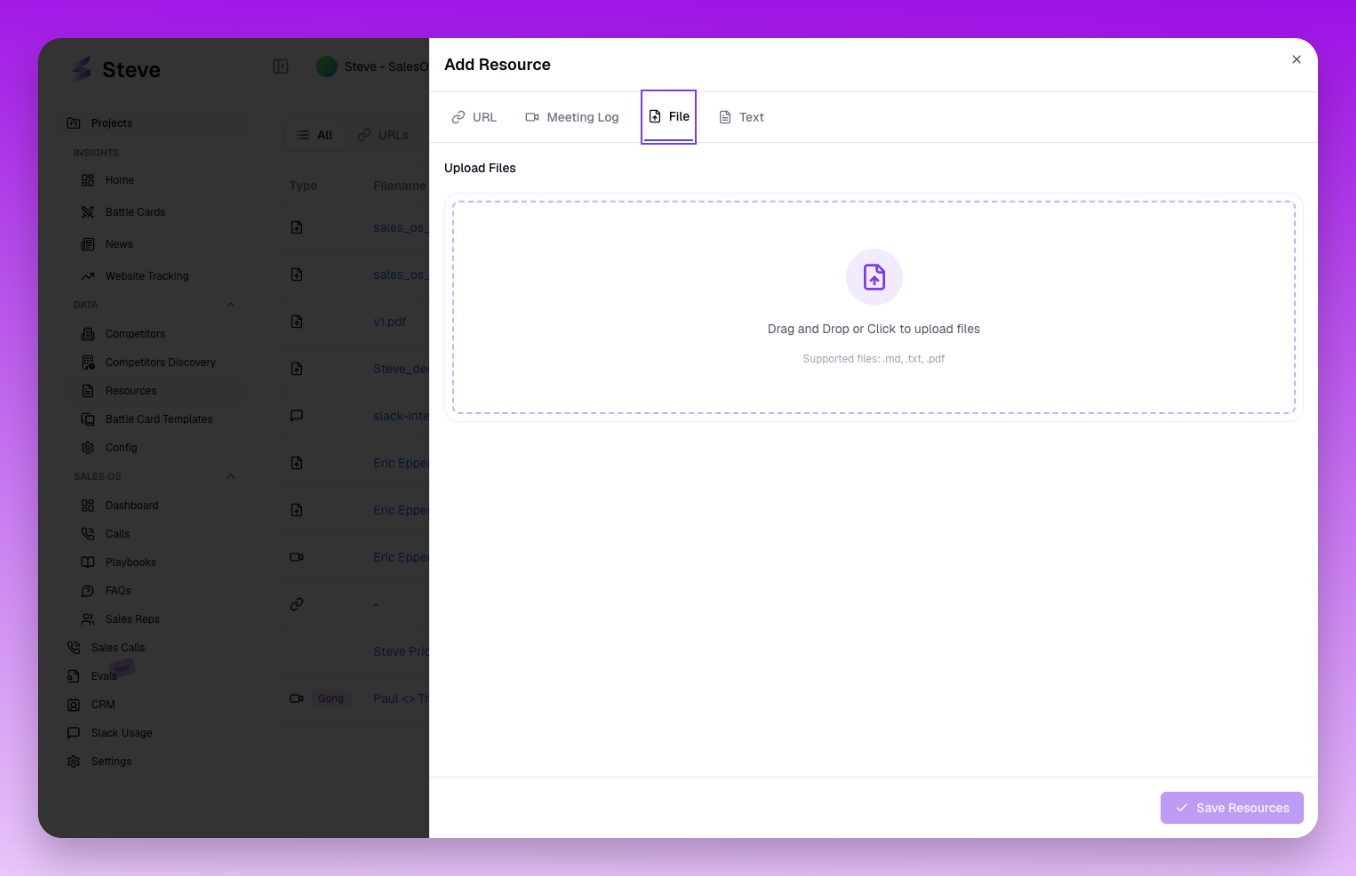 The Add Resource dialog with tabs for different resource types
What Happens Next
Uploaded resources enhance all AI-generated content. Steve references your materials when creating battle cards, ensuring competitive intelligence aligns with your messaging and positioning.