Step 10: See Discovered Competitors
Review AI-suggested competitors based on your market and product category
Steve Documentation Team
onboardingcompetitorsdiscovery
Steve automatically discovers potential competitors by analyzing your company profile and market positioning. Review AI suggestions to expand your competitive intelligence coverage.
How to See Discovered Competitors
- Navigate to Competitors in the sidebar
- Click the Discovery tab
- Review suggested competitors with relevance scores
- Click Add to Project on relevant suggestions
- Validate or dismiss suggestions as needed
Each discovered competitor includes a relevance score indicating how closely they compete with your product. Higher scores mean more direct competition.
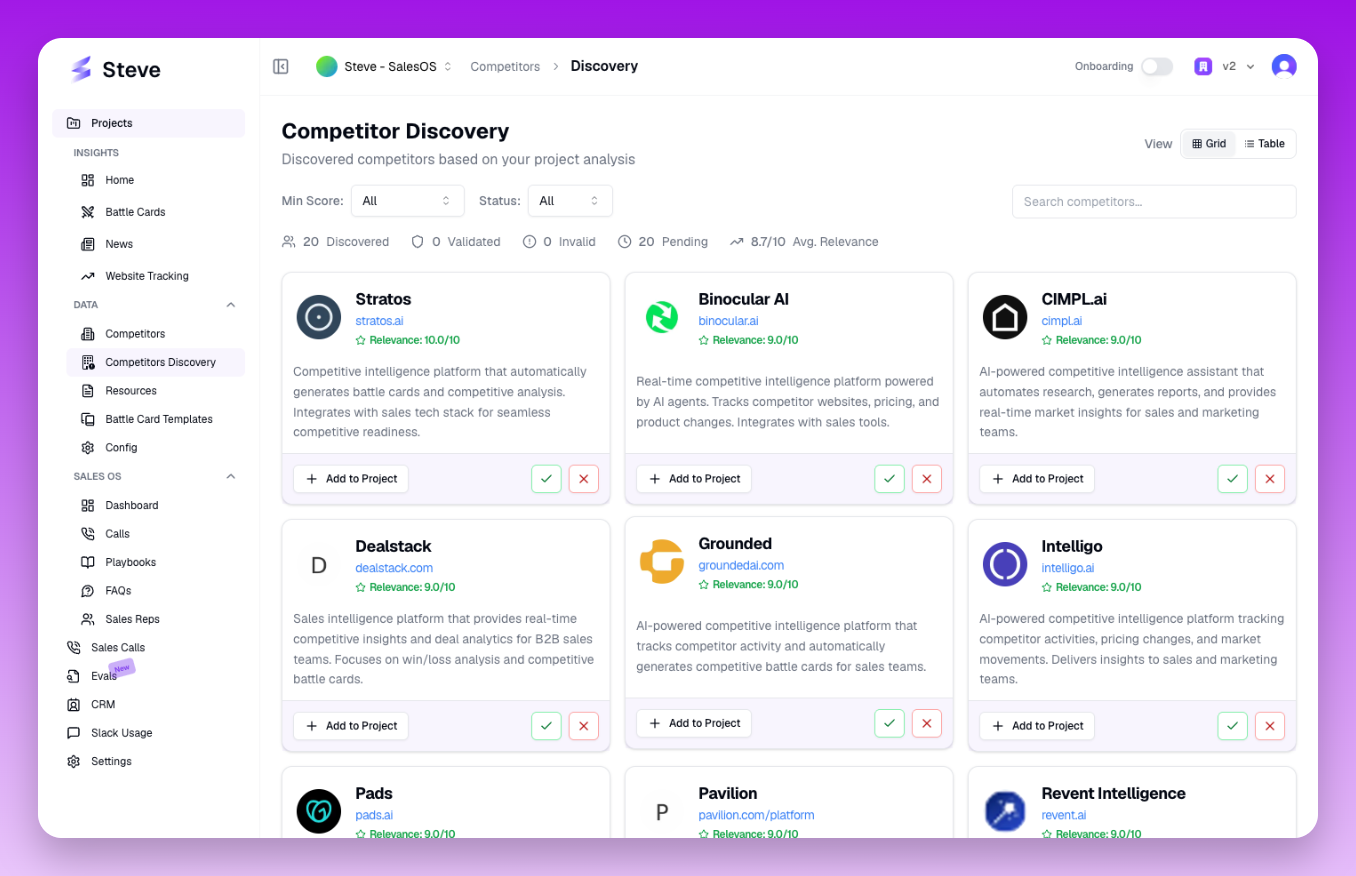 The Discovery tab displays AI-suggested competitors with relevance scores
What Happens Next
Added competitors are automatically researched like manually added ones. Use discovery to find competitors you may have overlooked in your initial setup.