How to View Project Analytics
Track competitive intelligence impact with metrics and analytics
Steve Documentation Team
analyticsmetricsreporting
Overview
Monitor how competitive intelligence impacts your team's performance with analytics and metrics.
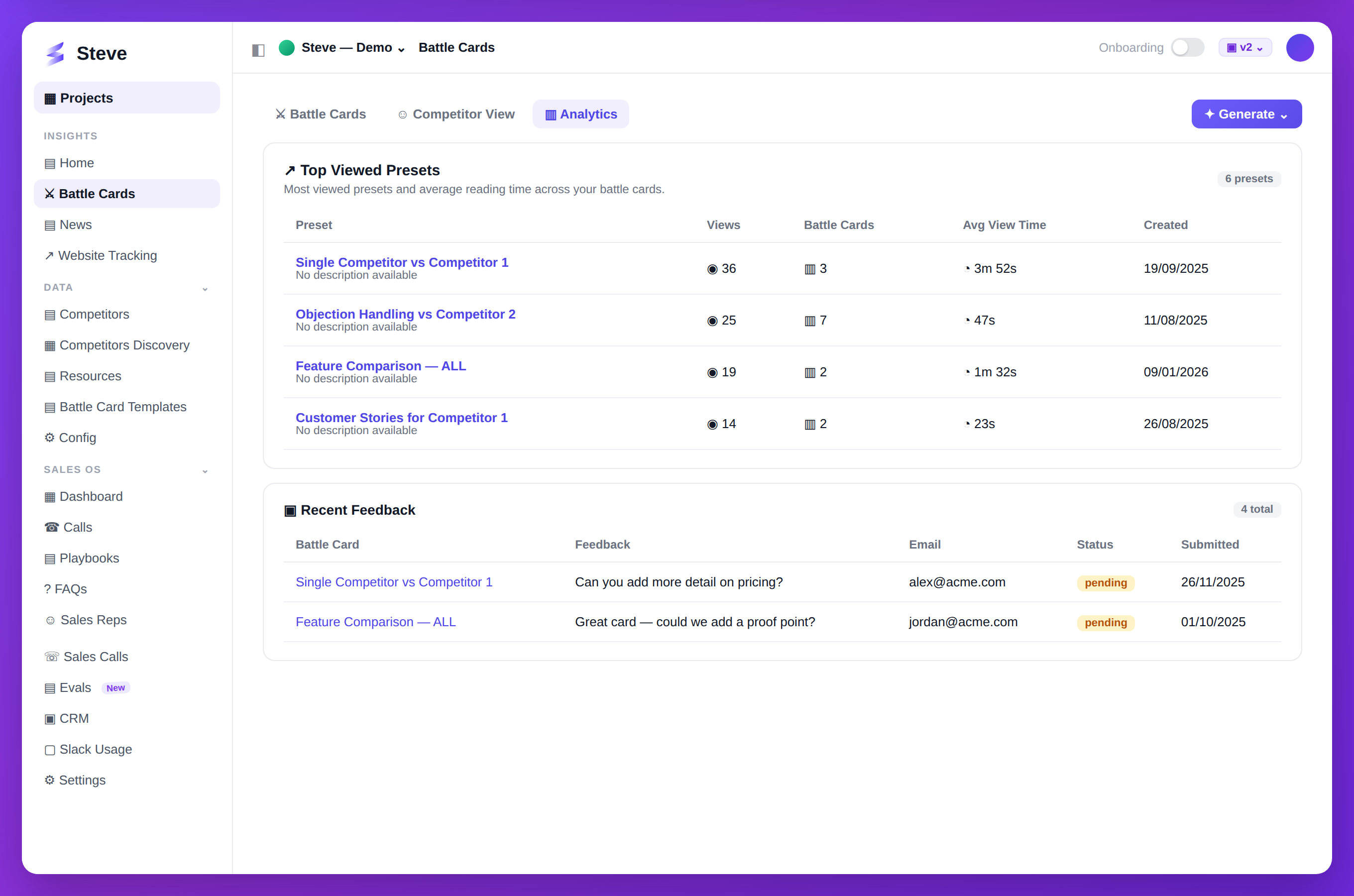
Caption: See which battle cards get viewed, for how long, and the feedback reps leave.
Access Analytics
Click Metrics or ROI in your project sidebar.
Key Metrics
Engagement Metrics
Track team usage:
- Battle cards generated
- Battle cards shared
- Views per battle card
- Active users
Competitive Coverage
Monitor tracking:
- Total competitors tracked
- Research completion rate
- Discovery suggestions added
- Coverage by market segment
ROI Metrics
Measure impact:
- Win rate change
- Deal cycle time
- Revenue influenced
- Sales team adoption
Filter Analytics
Customize views by:
- Time range - Last 7/30/90 days, custom range
- Team member - Individual or team performance
- Competitor - Specific competitor metrics
- Battle card - Individual card performance
Export Data
Download metrics for:
- Executive reporting
- Team reviews
- Quarterly business reviews
Click Export and choose format:
- CSV
- PDF report
- PowerPoint slides
Expected Outcome
✅ Usage metrics visible ✅ ROI tracking active ✅ Data exportable for reporting
Next Steps
- Generate Reports - Create formatted reports
- Share Battle Cards - Increase engagement