How to Share a Battle Card
Distribute battle cards to your sales team via link, email, or Slack
Steve Documentation Team
battle-cardssharingcollaboration
Overview
Share battle cards with your sales team to provide competitive intelligence at the right moment.
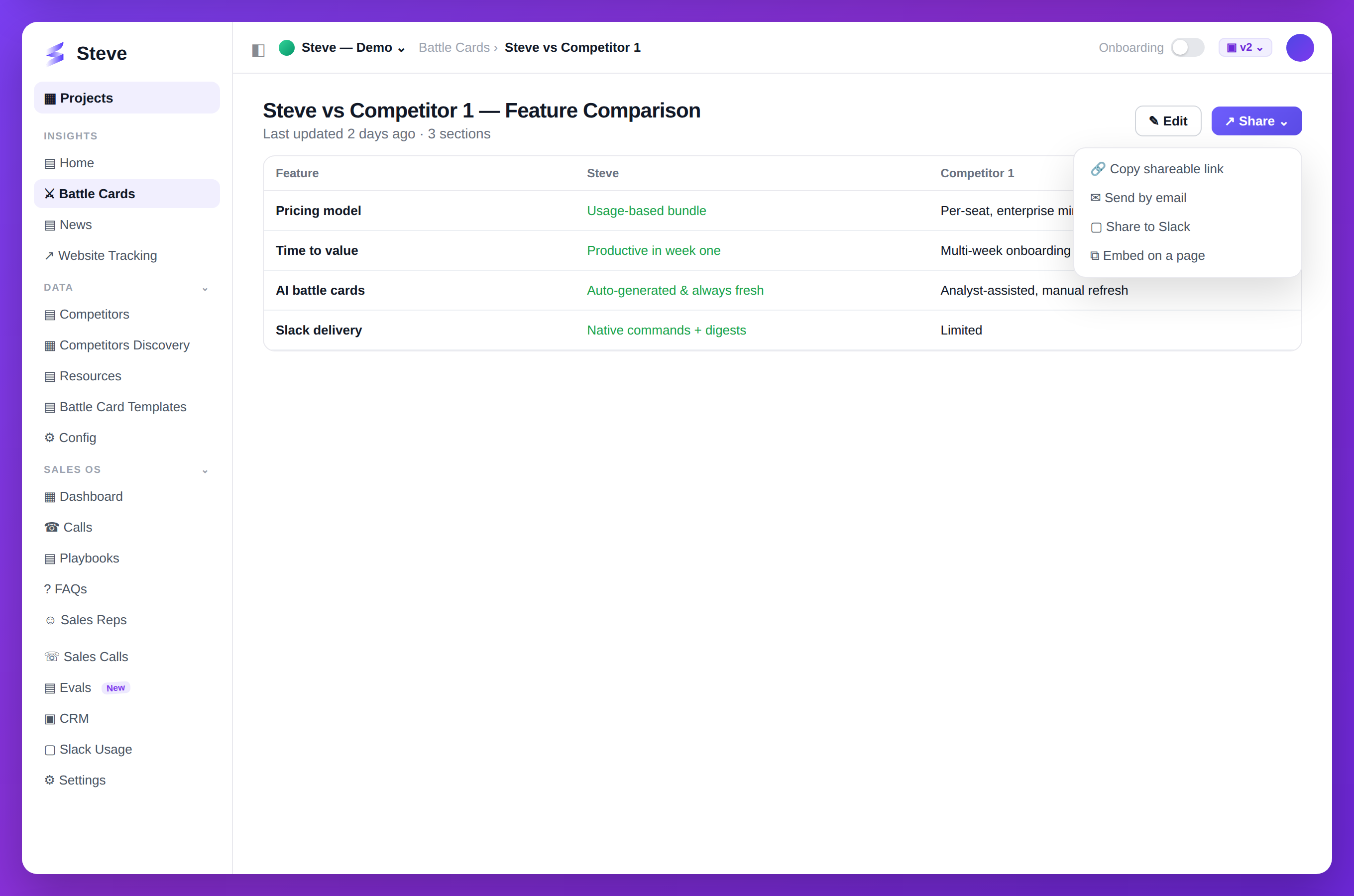
Caption: Share any battle card with a link, by email, or straight to Slack.
Access Battle Card
Navigate to your battle card from the Battle Cards page.
Share Options
Click the Share button to see options.
Copy Link
Best for: Quick sharing, multiple recipients
- Click Copy Link
- Paste in Slack, email, or chat
- Recipients access with the link
Link includes:
- Full battle card content
- Read-only view
- Automatic updates when you edit the source
Best for: Formal distribution, external stakeholders
- Click Email
- Enter recipient email addresses
- Add optional message
- Click Send
Slack
Best for: Team channels, instant access
Requires Slack integration
- Click Slack
- Select channel or person
- Add optional message
- Click Share
View Share Analytics
Track battle card engagement:
- View count
- Last accessed
- Active viewers
Expected Outcome
✅ Battle card shared with team ✅ Recipients have instant access ✅ Engagement tracked automatically
Next Steps
- Generate Another Battle Card - Create more cards
- Create Preset - Standardize battle card format
- View Analytics - Track competitive intelligence impact