How to Create Flexible Battle Cards
Build custom battle cards with dynamic sections tailored to specific use cases
Steve Documentation Team
battle-cardsflexiblecustomization
Overview
Flexible battle cards let you customize sections, content, and structure beyond standard templates for unique competitive scenarios.
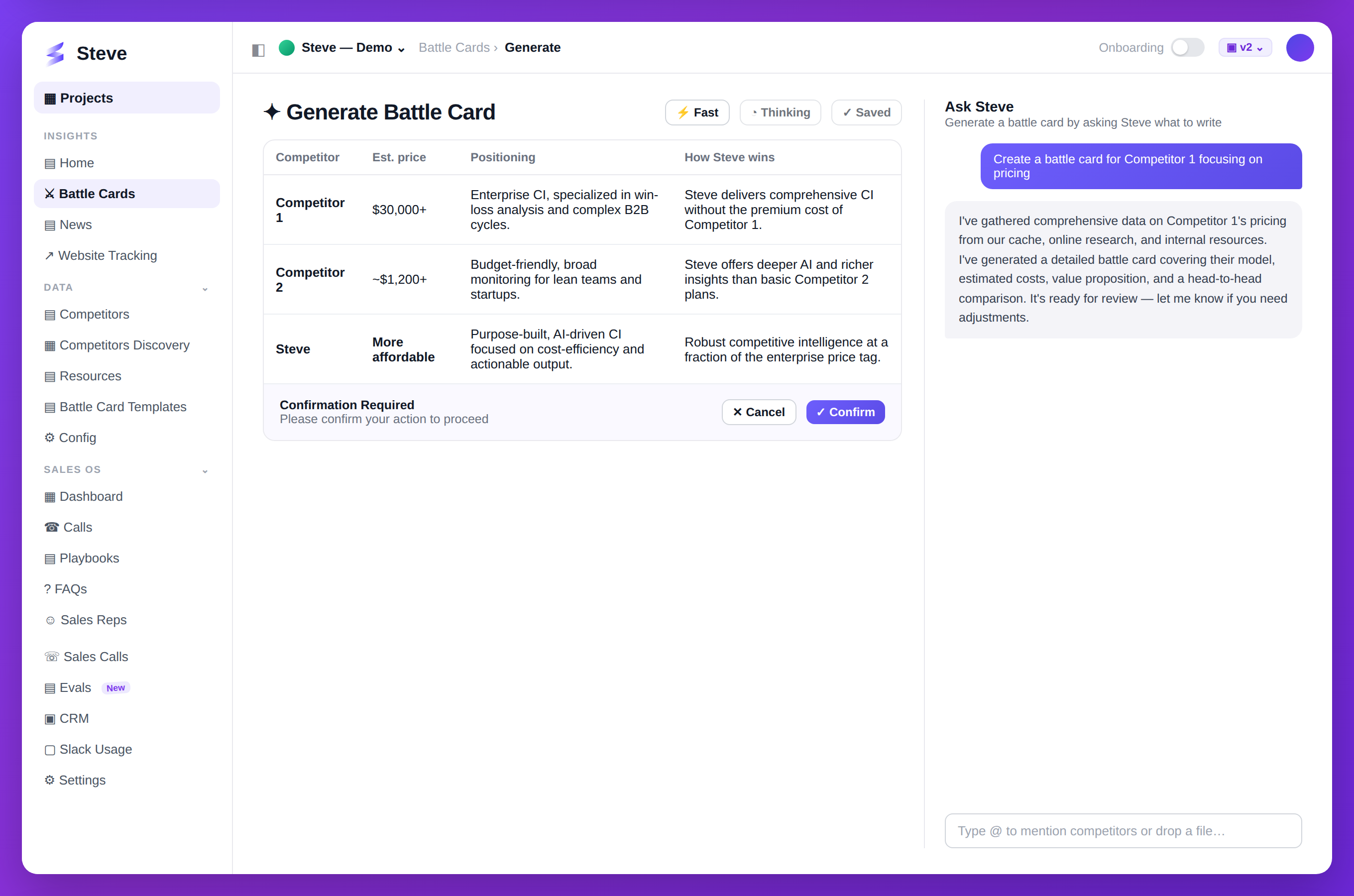
Caption: Free-style battle cards — tell Steve exactly what you want and it writes it.
Flexible vs Standard
Standard Battle Cards:
- Pre-defined sections
- Template-driven
- Fast generation
- Consistent format
Flexible Battle Cards:
- Custom sections
- Ad-hoc structure
- Tailored content
- Unique use cases
Create Flexible Battle Card
Step 1: Start Generation
Go to Battle Cards → Generate → Flexible Mode.
Step 2: Define Structure
Add custom sections:
- Click Add Section
- Enter section name
- Describe content needed
- Repeat for each section
Example sections:
- Regulatory Comparison
- Integration Capabilities
- Security Features
- Compliance Certifications
- Customer Support Models
- Partnership Ecosystem
Step 3: Select Competitor
Choose which competitor to analyze.
Step 4: Generate Content
Steve generates content for each custom section based on:
- Available research
- Your knowledge base
- Market data
- Competitor information
Step 5: Edit and Refine
Modify sections as needed:
- Reorder sections
- Add/remove content
- Adjust formatting
- Insert custom data
Use Cases
Enterprise Sales
Custom sections for:
- SOC 2 compliance comparison
- GDPR readiness
- Enterprise SLA options
- Multi-tenancy capabilities
Technical Buyers
Focus on:
- API capabilities
- Integration options
- Tech stack requirements
- Developer experience
Industry-Specific
Tailor for:
- Healthcare HIPAA compliance
- Financial regulations
- Manufacturing standards
- Retail POS integration
Save as Template
Convert flexible card to reusable preset:
- Create flexible battle card
- Click Save as Preset
- Name template
- Reuse for similar scenarios
Expected Outcome
✅ Custom battle card structure ✅ Tailored competitive content ✅ Unique use case addressed
Next Steps
- Share Battle Card - Distribute custom card
- Create Preset - Standardize structure