How to Generate a Battle Card
Create AI-powered competitive battle cards with real-time insights
Overview
Battle cards provide sales teams with competitive positioning, objection handling, and win strategies against specific competitors.
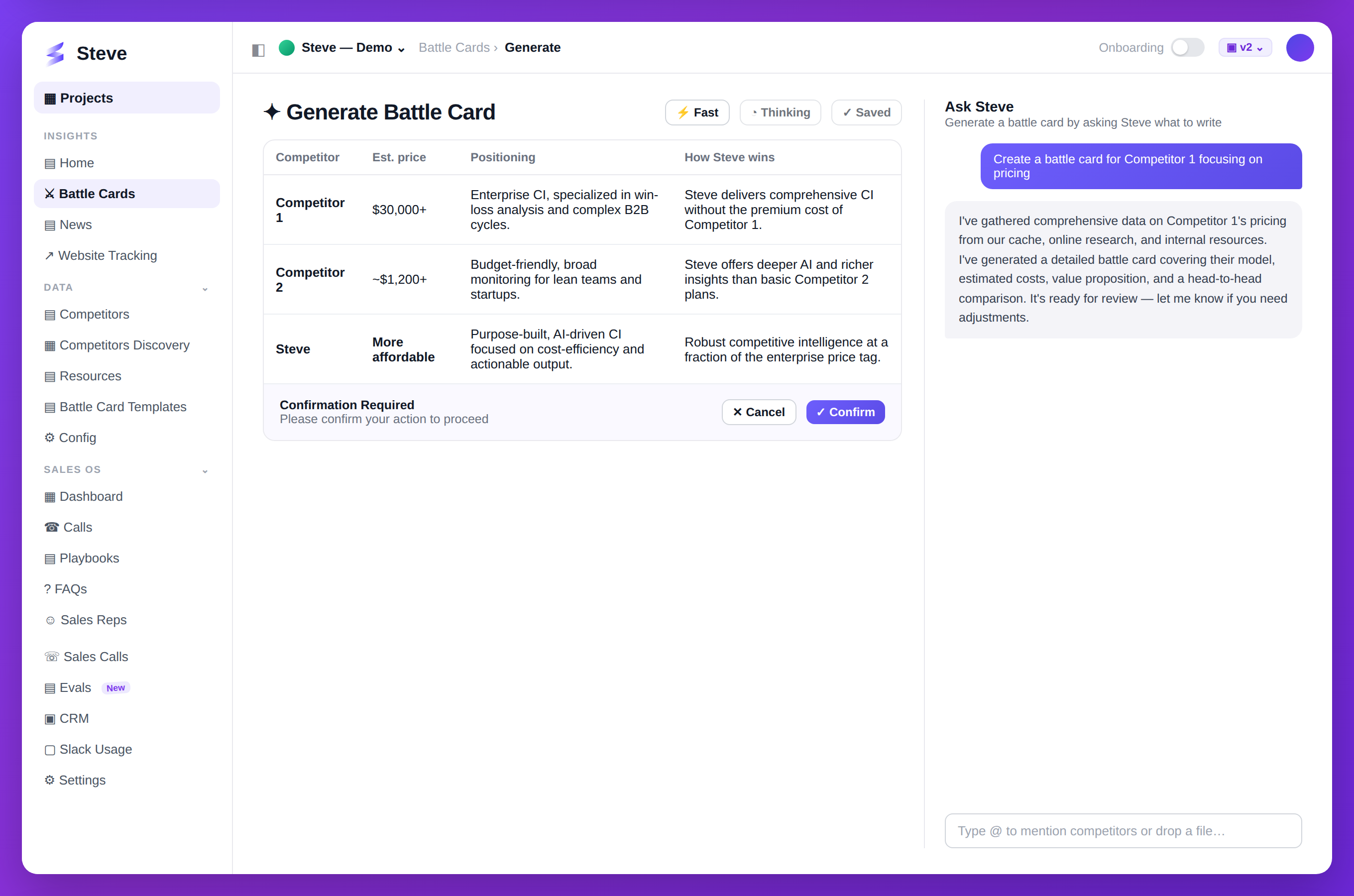
Caption: Ask Steve to generate a battle card; it drafts the comparison for you to review and confirm.
Prerequisites
- At least one competitor added to your project
- Competitor research completed (recommended for better results)
Generate a Battle Card
Navigate to Battle Cards
Click Battle Cards in sidebar, then Generate.
Start Generation Chat
You'll see an AI chat interface.
Select Competitor
The AI will ask which competitor to analyze. Choose from your tracked competitors.
Customize Content
Answer questions about:
- Key differentiators you want to highlight
- Common objections to address
- Specific features to compare
- Target audience for the battle card
Review Generated Content
Steve generates sections in real-time:
- Company overview
- Pricing comparison
- Feature comparison
- Why we win
- Differentiators
- Objection handling
Accept or Modify Sections
Each generated section appears as a quote block.
- Accept - Approve and add to battle card
- Reject - Remove section
- Edit - Modify content directly
Save Your Battle Card
Content auto-saves as you work. The battle card is available immediately after generation.
Expected Outcome
✅ Battle card generated with AI ✅ Content customized for your needs ✅ Ready to share with sales team
Next Steps
- Share Battle Card - Distribute to your team
- Create Preset - Save template for reuse
- Generate Another - Create more battle cards