How to Use Competitor Discovery
Find relevant competitors automatically using AI-powered discovery
Steve Documentation Team
competitorsdiscoveryai
Overview
Steve's AI discovers competitors you might be missing based on your industry, product, and market.
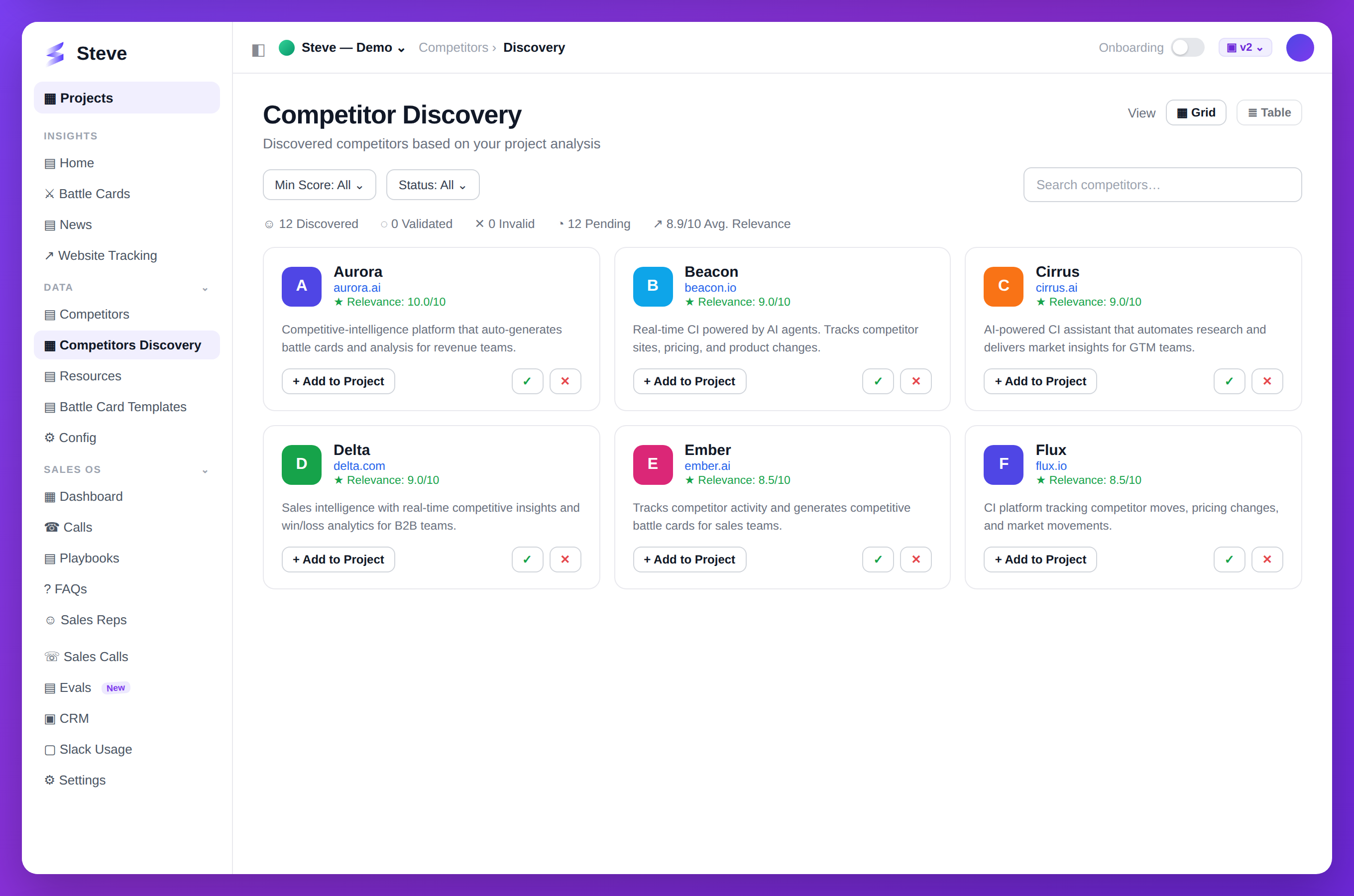
Caption: Steve surfaces competitors you may have missed, ranked by relevance — add them in one click.
Access Discovery
Navigate to Competitors page and click Discover tab.
Start Discovery
Click Start Discovery to begin AI analysis.
Review Suggestions
Steve analyzes your market and suggests competitors based on:
- Industry overlap
- Product similarity
- Target market alignment
- Company size and stage
Each suggestion shows:
- Company name and logo
- Brief description
- Why it's relevant
- Add button
Add Discovered Competitors
Add Individual Competitors
Click Add on any competitor to track them.
Bulk Add
Select multiple competitors and click Add Selected.
Customize Discovery
Filter suggestions by:
- Company size - Startups, scale-ups, enterprise
- Market - Geographic or vertical focus
- Product type - Direct, indirect, or adjacent competitors
Expected Outcome
✅ Relevant competitors discovered ✅ Market coverage expanded ✅ Competitors added to tracking
Next Steps
- Add Competitors - Manually add more
- Research Competitors - Start automated research
- Generate Battle Cards - Create competitive insights