Walk in Briefed with /prep
Get a briefing on the person you're about to meet, from their LinkedIn profile, right in Zoom
Overview
/prep hands you a briefing on the person you're about to meet, right in Zoom Team Chat, before you dial in. No tab-switching, no manual research.
Who it's for: 🎯 Sales Rep — the person about to walk into a meeting.
Use case: You have a sales call in ten minutes and want a prep pack on the prospect — who they are, what they'll likely ask, which competitor is in the deal, and what happened in past meetings.
Add-on.
/prepis available as an add-on. Availability depends on your organization's plan and remaining prep credits. If it isn't enabled, ask your admin to turn it on.
Prerequisites
- A valid LinkedIn profile URL — a
/in/...link - A prep project set in your Prep Settings in the Steve app (Workspace → Configuration → Prep Preferences)
- Prep available on your organization's plan, with prep credits remaining
- Your Zoom account's email address must belong to a member of your Steve organization — Steve uses it to find your Steve account, your prep project, and your past calls
How to use it
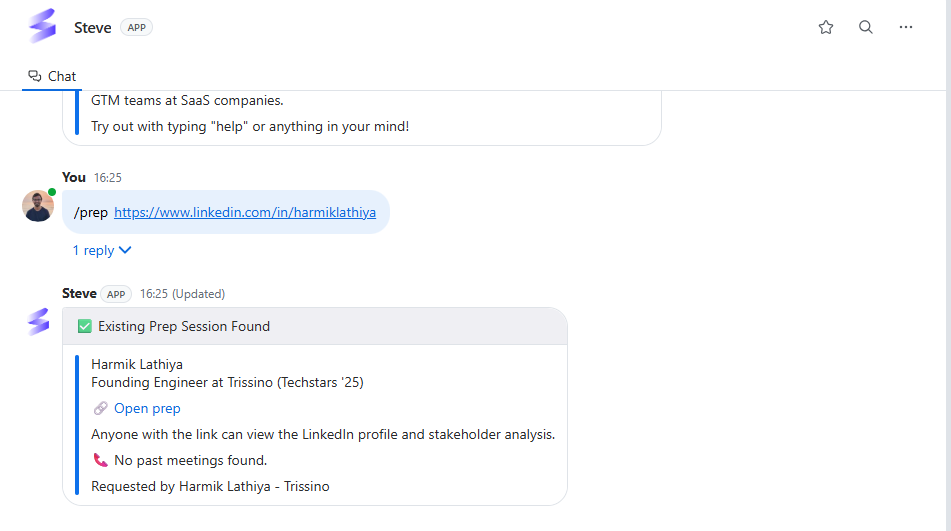
In Zoom, /prep always takes a LinkedIn profile URL:
- In a DM:
/prep https://www.linkedin.com/in/jane-doe/ - In a channel:
/steve prep https://www.linkedin.com/in/jane-doe/or@Steve prep https://www.linkedin.com/in/jane-doe/
Steve replies with a loading card, analyzes the profile and stakeholder engagement, then edits the card in place with the finished prep.
If you send
/prepwithout a LinkedIn profile URL, Steve replies with usage help instead of running. Bare/prepand email lookups are Slack-only for now.
What a prep looks like
Steve posts the briefing right in Zoom. A typical prep looks like this:
Caption: A prep delivered in Zoom — expected competitors, past meetings, what to expect, and pre-call questions.
Jane Rivera — Product Marketing Manager at Acme 🔗 Open prep
⚔️ Expected Competitors Rival CI — View canvas Rival CI is the competitive-intelligence platform PMM teams evaluate before picking a category leader. Expect Jane to ask how Steve differentiates on sprint-ready battle cards vs. Rival's analyst-led intel feed.
📞 Past Meetings Acme <> Steve — Intro call with Jane (PMM) · 2026-04-30 Two pain points: battle cards go stale within a sprint, and PMM is the human cache for challenger positioning. Director of Marketing owns budget; CRO weighs in on sales-enablement value.
🔮 What to expect this meeting
- Confirm the pilot scope from the last call: 3 verticals, 60-day window, success metric = hours saved on collateral refresh.
- Walk the Director of Marketing through cost-per-output vs. cost-per-seat economics.
- Lock in the CRM integration path so AEs see fresh competitive intel inside the deal record.
Your Pre-Call Prep Questions Q: Is the prospect the sole PMM at the company? Jane is not the sole PMM; keep the Sr. PMM (Global) and the Director of Marketing in mind as stakeholders.
Every prep links back to the full Open prep page and, for each expected competitor, straight to its canvas. Anyone with the link can view the LinkedIn profile and stakeholder analysis.
Rate the result
Right below the prep, Steve posts a 👍 Helpful / 👎 Not helpful card. Tap a rating and Steve offers a short list of optional notes ("Saved me prep time", "Missing key information", and so on) — or Skip. Only the person who ran the prep can rate it, and the feedback goes straight into improving prep quality.
Credits
Each new prospect consumes one prep credit. Re-opening an existing prep costs nothing — Steve recognizes the profile and reuses the session.
Best ways to use it
- Run it minutes before the call, not the night before, so the intel and news are current.
- Prep cold outreach targets by LinkedIn URL. Paste the profile and Steve builds the picture: role, company, and prior touchpoints.
- Read "What to expect" first — it's the fastest read in the card and shapes your opening.
- Always rate the prep. The 👍/👎 signal is how prep quality improves for your team.
Next Steps
- Chat with Steve — follow up on anything in the brief with a quick message.
- Troubleshooting — if
/prepreturns an error.