How to Generate News Summaries
Get automated summaries of competitor news and market activity
Steve Documentation Team
newssummariesinsights
Overview
Steve monitors competitor news, announcements, and market activity, delivering concise summaries to keep you informed.
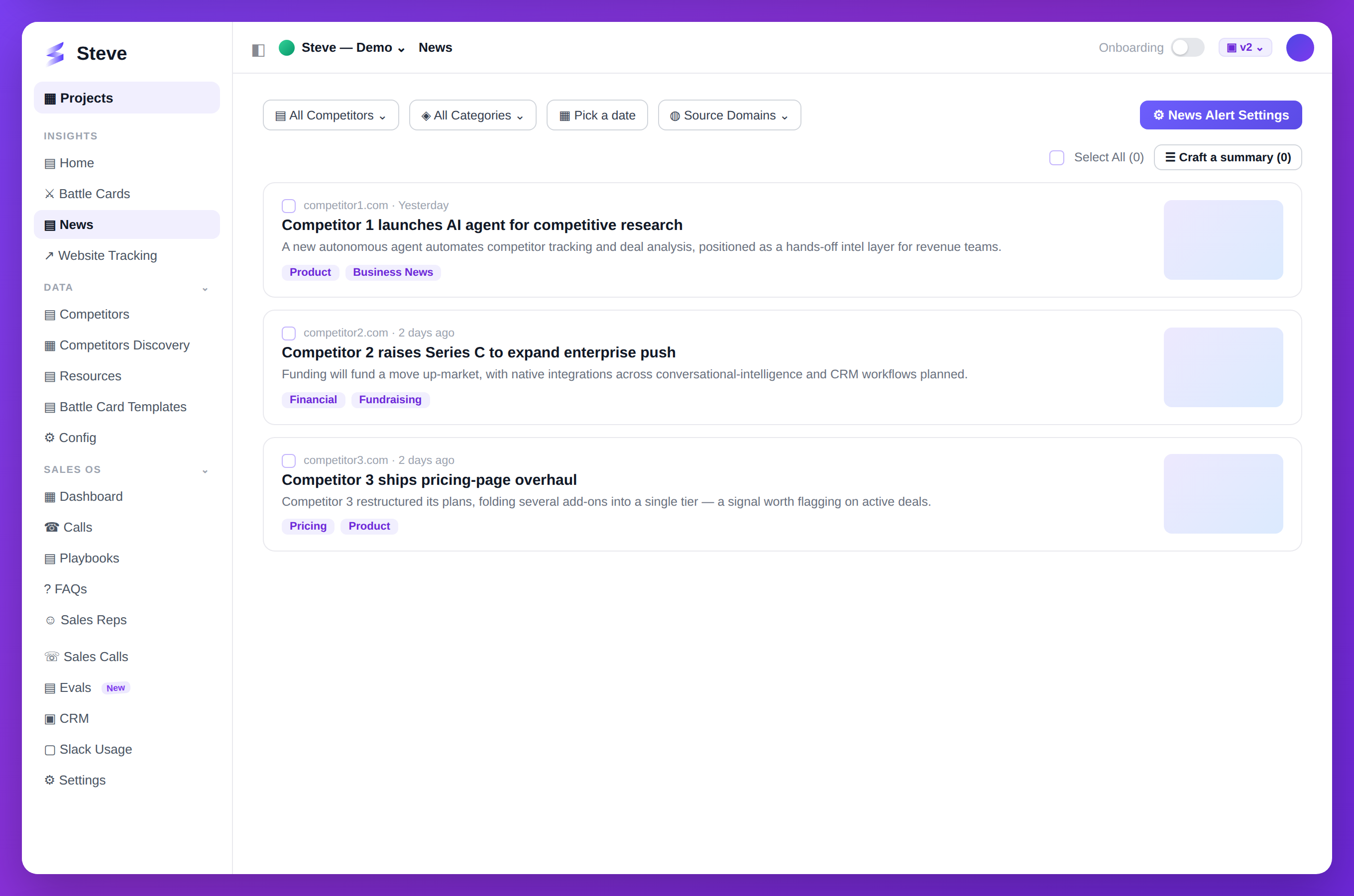
Caption: Steve pulls competitor news; select articles and craft a summary in a click.
Access News
Click News in your project sidebar.
View News Feed
The news page shows:
- Recent competitor announcements
- Product launches
- Funding news
- Executive changes
- Market analysis
Each news item includes:
- Source and date
- Summary
- Full article link
- Related competitor
Generate Custom Summary
Create summaries for specific needs:
Step 1: Click Generate Summary
Click Generate Summary button.
Step 2: Choose Parameters
Select:
- Time range - Last 7/14/30 days
- Competitors - All or specific competitors
- News types - Product, funding, leadership, market
Step 3: Review Summary
Steve generates a digest with:
- Key takeaways
- Trends analysis
- Impact assessment
- Recommended actions
Share Summaries
Distribute summaries via:
- Slack
- Copy link
Configure Alerts
Set up automatic notifications for:
- Competitor product launches
- Pricing changes
- Funding announcements
- Executive moves
Navigate to News Alerts settings.
Expected Outcome
✅ Competitor news monitored ✅ Summaries generated automatically ✅ Alerts configured for key events
Next Steps
- Configure Slack Summaries - Automate delivery
- View Analytics - Track news impact