Set Insights Chat Source Priorities
Rank the sources insights chat answers lean on
Steve Documentation Team
insightssource-prioritiesconfiguration
Overview
Source Priorities control which sources insights chat answers lean on first. Drag to rank them — when sources conflict, the higher rank wins.
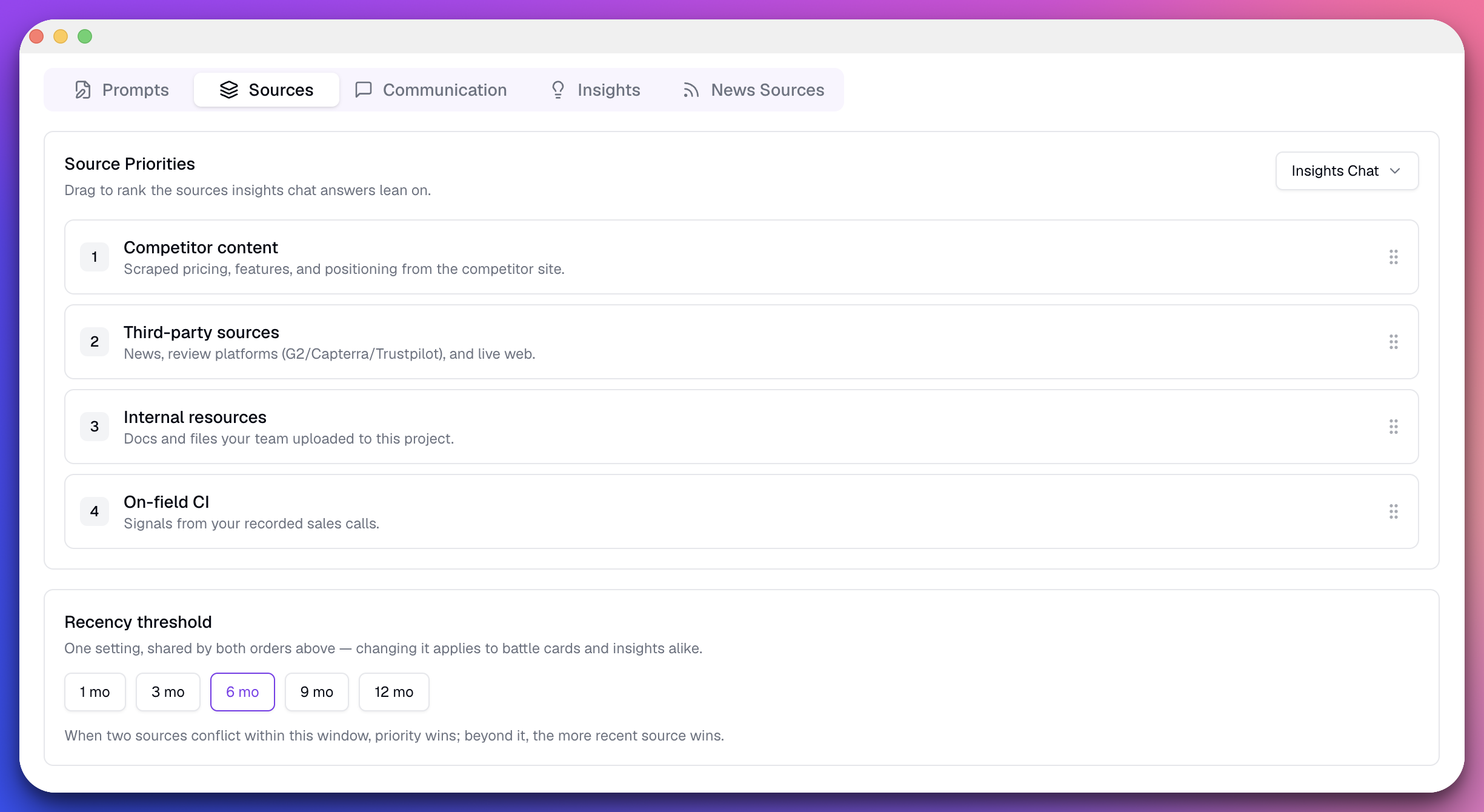
Caption: The Source Priorities panel scoped to Insights Chat. Drag the handle on the right of each source to reorder.
Available Sources
| Source | What it covers |
|---|---|
| Competitor content | Scraped pricing, features, and positioning from the competitor site |
| Third-party sources | News, review platforms (G2/Capterra/Trustpilot), and live web |
| Internal resources | Docs and files your team uploaded to this project |
| On-field CI | Signals from your recorded sales calls |
Step-by-Step Instructions
Step 1: Open the Sources Tab
Go to your project's Settings and open the Sources tab.
Step 2: Select Insights Chat Scope
Choose Insights Chat from the dropdown in the top-right of the Source Priorities panel.
Step 3: Drag to Rank
Drag sources into your preferred order using the handle on the right. Rank 1 is trusted most.
Step 4: Set the Recency Threshold
Pick a window: 1 mo, 3 mo, 6 mo (default), 9 mo, or 12 mo.
- Within the window: your priority order decides conflicts
- Beyond the window: the more recent source wins
Note: The recency threshold is shared with Battle Cards. Changing it here applies to both.
Expected Outcome
- ✅ Insights chat answers favor your top-ranked sources
- ✅ Conflicts inside the recency window resolve by your priority order
- ✅ Stale information loses to fresher sources outside the window
Next Steps
- Set Battle Card Source Priorities - Rank sources for battle cards
- Chat with Steve - Ask questions powered by your priorities
- Manage Knowledge Base - Curate your internal sources