How to Configure Slack Summaries
Set up automated competitive intelligence summaries delivered to Slack
Overview
Deliver automated competitive intelligence summaries to your team's Slack channels.
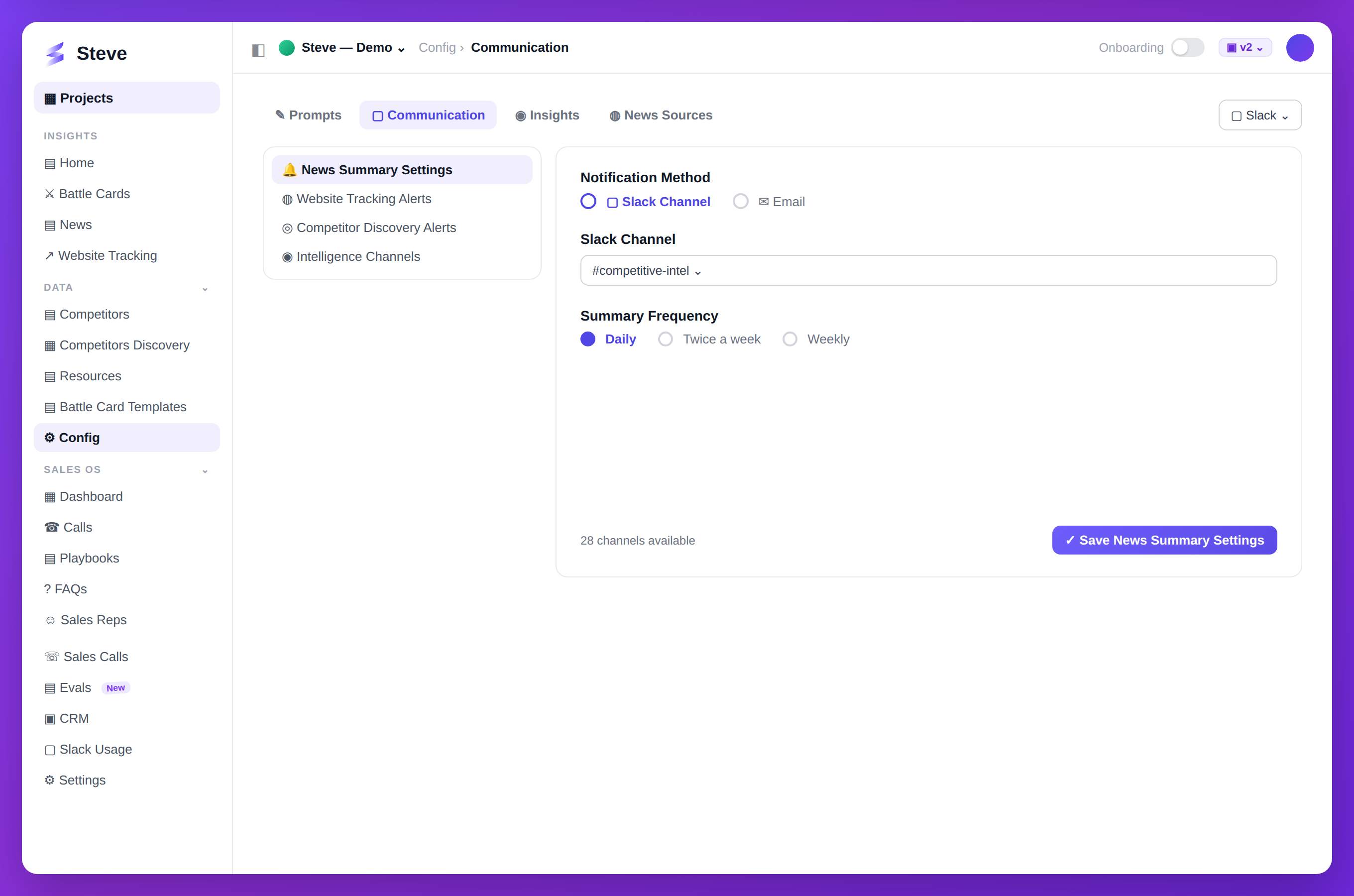
Caption: Set a channel and frequency, and Steve posts competitor digests automatically.
Prerequisites
- Slack workspace connected to Steve
- Channel access permissions
Access Slack Settings
Navigate to your project and click Slack Settings in sidebar.
Configure Summary Delivery
Step 1: Select Channel
Choose which Slack channel receives summaries.
Step 2: Set Frequency
Choose delivery schedule:
- Daily - Every morning at 9 AM
- Weekly - Monday mornings
- Bi-weekly - Every other Monday
- Monthly - First Monday of month
Step 3: Choose Content
Select what to include:
- Competitor news - Recent announcements
- Battle card updates - New cards generated
- Research insights - Key findings
- Market trends - Industry analysis
Step 4: Customize Format
Set summary style:
- Brief - Key points only
- Standard - Balanced detail
- Detailed - Comprehensive analysis
Test Summary
Click Send Test to preview in Slack.
Save Configuration
Click Save Settings to activate automated summaries.
Manage Summaries
Pause Summaries
Toggle Active switch to pause delivery.
Update Settings
Return to Slack Settings anytime to modify:
- Channel
- Frequency
- Content
- Format
View History
See past summaries under Delivery History.
Expected Outcome
✅ Automated Slack summaries configured ✅ Team receives regular competitive updates ✅ Delivery customized to team needs
Troubleshooting
Summaries not appearing?
- Verify channel permissions
- Check Active toggle is on
- Confirm Slack integration status
Wrong channel?
- Update channel in settings
- Summaries redirect on next delivery
Next Steps
- Integrate Slack - Initial setup
- Generate News Summaries - Manual summaries